

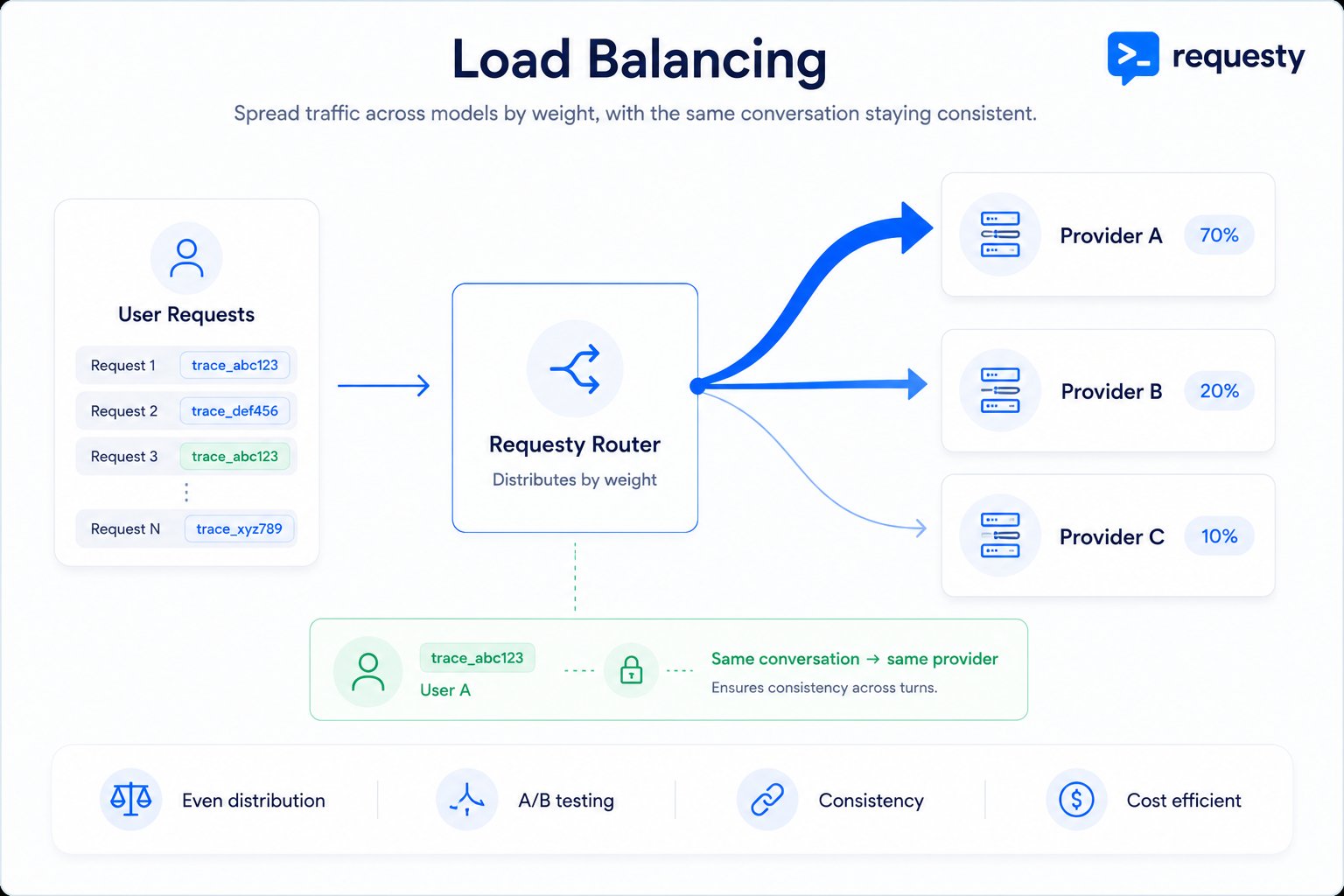
Traffic is split across models by the weights you set, while the same conversation can stay on one provider.
Configure load balancing in the Requesty Console. Prefer zero setup? Try a managed policy maintained by Requesty.
How It Works
1
Assign weights
You assign weights to each model (e.g., 70%, 20%, 10%).
2
Requests are routed
Each incoming request is consistently routed to one model based on the distribution.
3
Consistency guaranteed
Requests with the same
trace_id or user_id always go to the same model.Benefits
A/B Testing
Compare model performance with real traffic split across different models.
Gradual Rollouts
Send 10% to a new model, 90% to your stable model. Increase gradually.
Cost Optimization
Route most traffic to cheaper models while keeping premium models available.
Consistent Experiences
Same user always gets the same model, maintaining conversation context.
Creating a Load Balancing Policy
1
Create the Policy
Go to Routing Policies, click Create Policy, and select the Load balance strategy card. Name your policy and reference it as 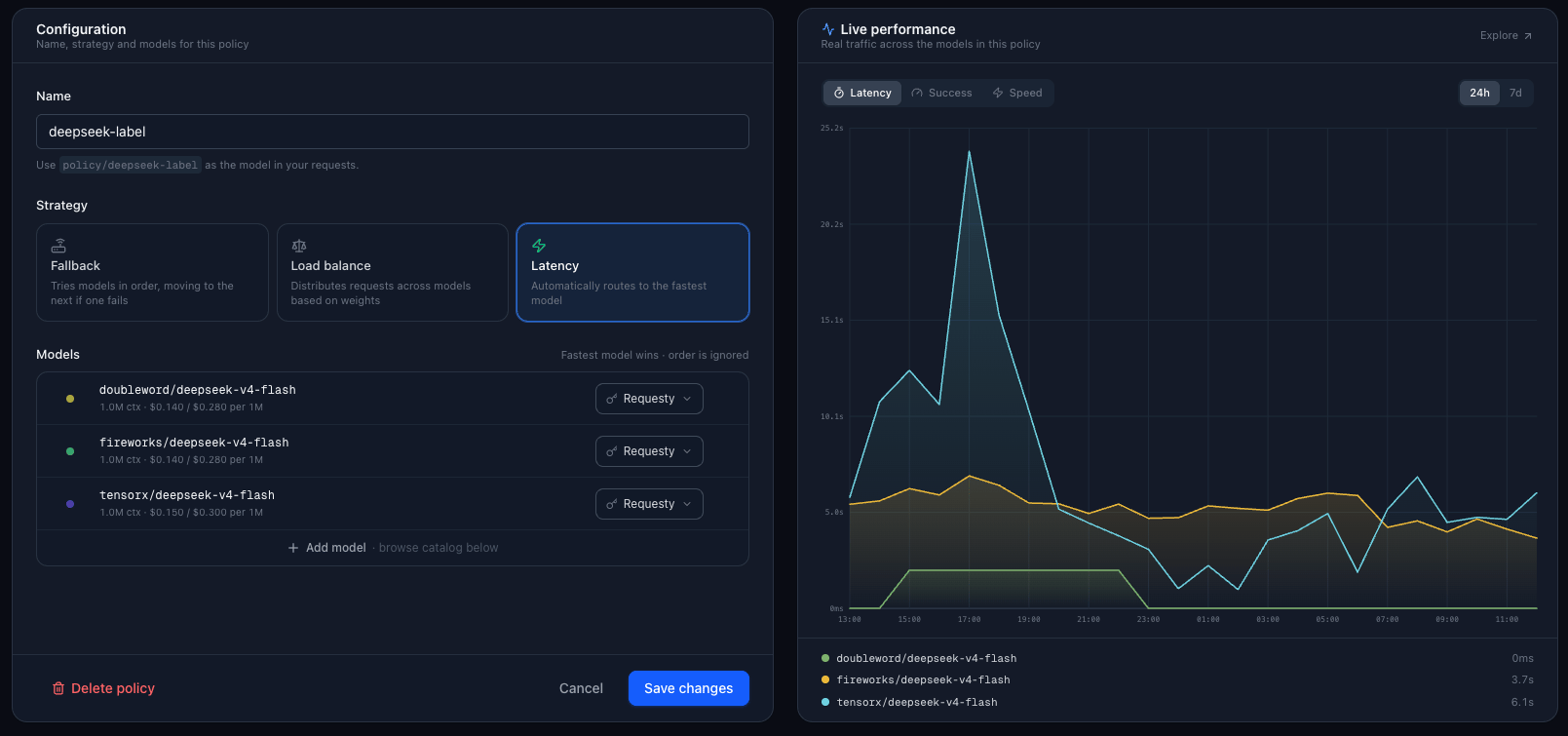
policy/your-policy-name in your requests.2
Configure Weights
Add models from the catalog below the form, then set your distribution. For example:
The total weights must add up to 100% (you can use any numbers, they are normalized).
3
Use the Policy in Your Code
Reference your policy with
policy/your-policy-name:Consistency Guarantee
Load balancing uses deterministic hashing to ensure the same user always gets the same model.
This means multi-turn conversations stay on the same model, user sessions get consistent behavior, and A/B test groups are stable.
Maintaining Consistency Across Requests
To keep a user on the same model across multiple requests, pass atrace_id:
Load Balancing Between Policies
You can load balance between entire routing policies, not just individual models. This is powerful for canary deployments, A/B testing different routing strategies, and gradual migration from one policy to another.Example: Policy Rollout
Say you have two fallback policies and want to gradually shift traffic:
Create a load balancing policy called
gradual-rollout with these weights. As you gain confidence, adjust to 50/50, then 0/100.
Use Cases
A/B Testing New Models
A/B Testing New Models
Compare GPT-5.2 vs Gemini 2.5 Pro on real traffic:
Track performance in Analytics and see which model performs better.
Gradual Model Rollout
Gradual Model Rollout
Carefully introduce a new model:
Increase the weight of
gpt-6.1-sol as you validate quality.Cost-Optimized Distribution
Cost-Optimized Distribution
Route most traffic to cheaper models, some to premium:
Multi-Provider Redundancy
Multi-Provider Redundancy
Distribute across providers for resilience:
Key Selection (BYOK)
For each model in your load balancing policy, you can choose:Monitoring and Analytics
Every policy page includes a Live Performance panel showing real traffic across the models in the policy. Switch between Latency, Success, and Speed over the last 24 hours or 7 days to see how the distribution plays out in practice. For deeper analysis:1
Open Analytics
Go to Analytics.
2
Filter by policy
Filter by your policy name to see the actual distribution of requests across models.
3
Compare performance
Compare latency, cost, and success rates between models. The distribution should match your configured weights (±2% variance is normal).
FAQ
How does consistent hashing work?
How does consistent hashing work?
Requesty uses the xxhash algorithm on your
trace_id (or request_id if no trace_id) to deterministically select a model. The same ID always produces the same hash, which maps to the same model.What happens if I change the weights?
What happens if I change the weights?
Changing weights will re-distribute traffic. Some users may switch to different models. If you need stability, avoid changing weights frequently, or use separate policies for stable vs experimental traffic.
Can I load balance and have fallback?
Can I load balance and have fallback?
Yes. Create a load balancing policy that points to fallback policies. This gives you both load balancing and automatic failover.
Do all models need to be compatible?
Do all models need to be compatible?
Yes. All models in a load balancing policy should support the same request format and features. Do not mix chat models with embedding models, or models with different context lengths.
How do I ensure exactly 20% of users see the new model?
How do I ensure exactly 20% of users see the new model?
Use a stable
trace_id (like user ID). With 100+ unique users, the distribution will converge to your configured weights (e.g., 20%). With small sample sizes, expect ±5% variance.