

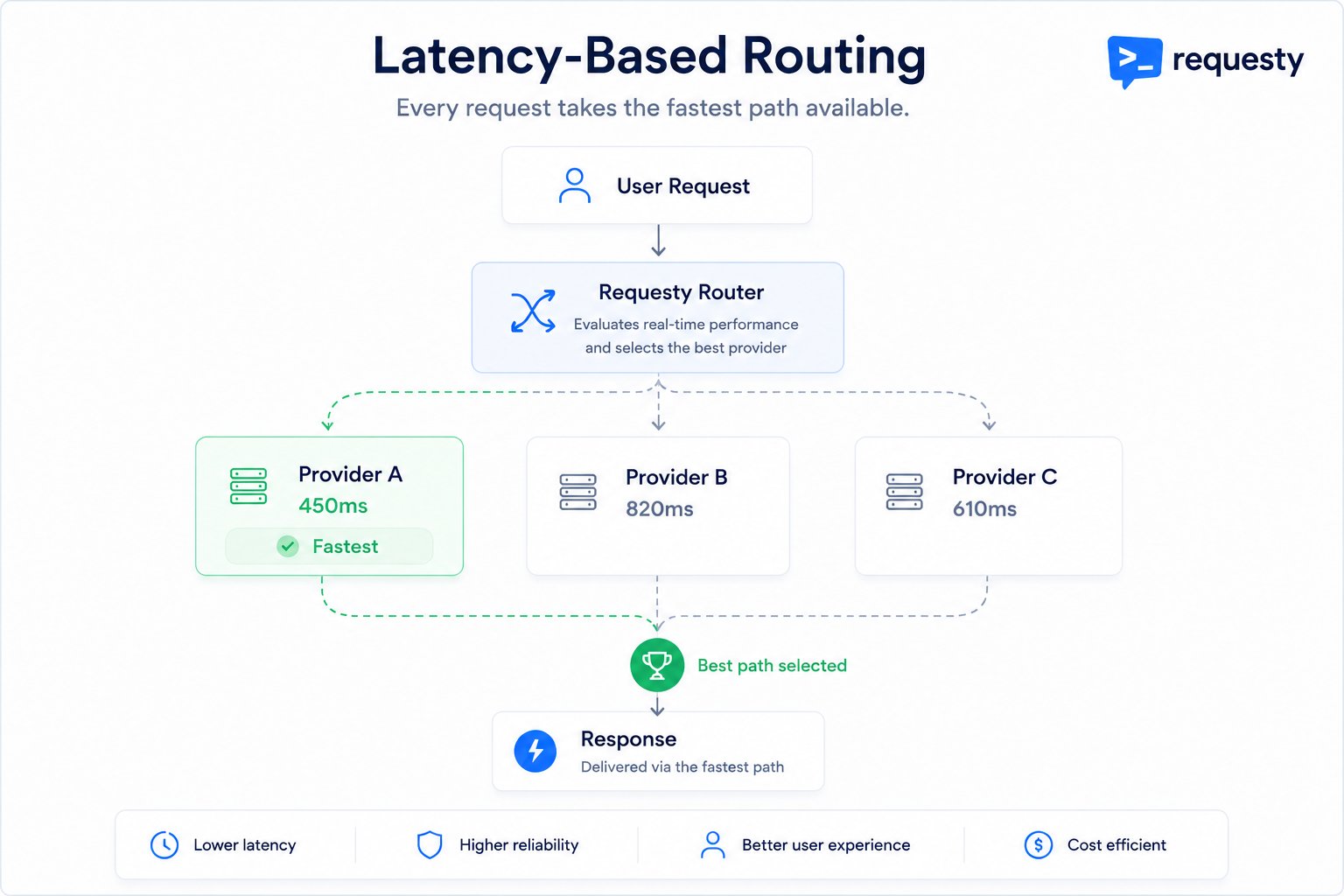
Every request is scored against live performance data, and the fastest available provider wins.
Enable latency routing in the Requesty Console. Prefer zero setup? Try a managed policy maintained by Requesty.
How It Works
1
Measure live performance
Requesty continuously measures how every model in your policy is performing right now, across all traffic flowing through the router. Recent requests count more than older ones, so the picture reflects current conditions rather than yesterday’s averages.
2
Score each candidate
When a request arrives, the router scores every model in your policy. The score accounts for how fast each one starts responding, how quickly it generates the rest of the output, and how much of each it has actually observed recently. Models with little recent data are scored optimistically so they still get tried.
3
Route to the fastest, then fall back
The router orders candidates fastest-first and sends your request to the top one. If it fails, the request automatically falls through to the next-fastest, and so on down the list.
Benefits
Fastest Responses
Always use the quickest model available.
Automatic Adaptation
Router adjusts when model performance changes.
No Manual Tuning
Latency optimization happens automatically.
Regional Optimization
Automatically prefer nearby endpoints.
Creating a Latency-Based Policy
1
Create the Policy
Go to Routing Policies, click Create Policy, and select the Latency strategy card. The fastest model wins, so the order of models is ignored.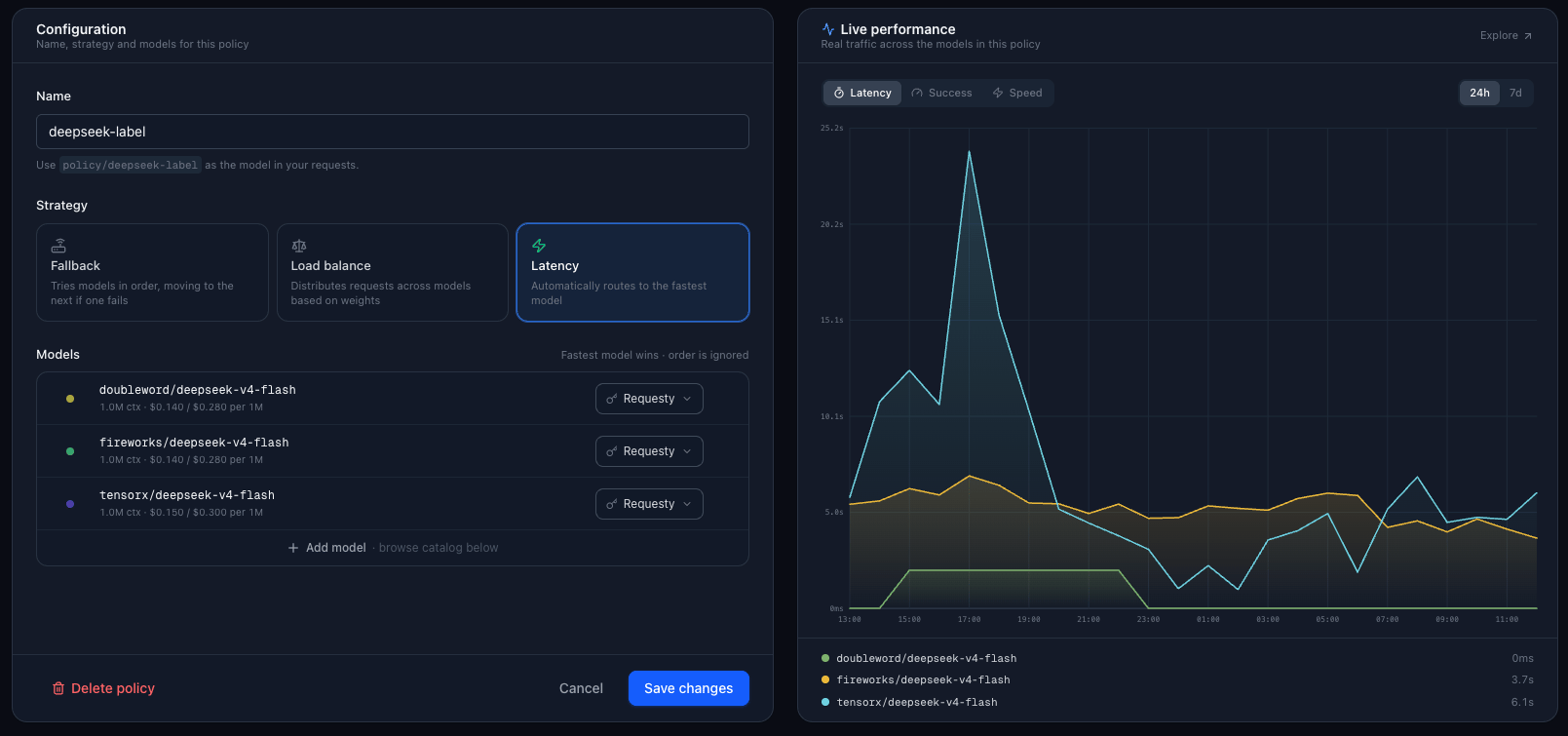
2
Select Models
Add models from the catalog below the form. For example:
The router will automatically choose whichever is faster at request time.
3
Use the Policy in Your Code
Reference the policy in your model parameter:
How Latency Tracking Works
Requesty measures both time-to-first-token (how fast a model starts responding) and generation speed (how fast it produces the rest of the output), so a model that starts quickly but generates slowly does not get an unfair advantage.Models with little recent latency data are still tried from time to time so the router can learn how they perform. After a handful of requests, it has enough signal to route them accurately.
Key Selection Strategies
For each model, you can configure which API key to try first:Use Cases
Regional Optimization
Regional Optimization
Route to the fastest regional endpoint:
Users in Europe automatically get
eu-central-1, users in Asia get ap-northeast-1.Provider Performance
Provider Performance
Let the router pick the fastest provider:
If OpenAI is experiencing slowdowns, traffic shifts to Anthropic or Google automatically.
Cost + Speed Optimization
Cost + Speed Optimization
Combine similar-priced models and route to fastest:
All three are low-cost. Requesty picks whichever responds fastest.
Combining with Other Policies
Latency routing works great with load balancing and fallback.Monitoring Latency
Every policy page includes a Live Performance panel showing real traffic across the models in the policy. Switch between Latency, Success, and Speed over the last 24 hours or 7 days to see where your requests are going and how fast each model responds. For deeper analysis:1
Open Performance Monitoring
Go to Performance Monitoring.
2
Review metrics
View time-to-first-token and total latency by model. See how latency routing distributes traffic.
FAQ
What if a model has no latency data?
What if a model has no latency data?
Models without recent data are scored optimistically, so they get tried from time to time to gather performance signal. Once they have measurements, they compete fairly against everything else in the policy.
Does latency routing consider cost?
Does latency routing consider cost?
No. Latency routing only considers speed. If you want cost optimization, use load balancing to prefer cheaper models, or manually order a fallback chain by price.
Can I force a specific model for some requests?
Can I force a specific model for some requests?
Yes. Instead of using the latency policy, pass a direct model name (e.g.,
openai/gpt-6.1-sol) for requests where you need a specific model.How often does latency data update?
How often does latency data update?
Continuously. Latency metrics are updated after every request. The router uses a rolling average of recent requests to smooth out spikes.
What happens if the fastest model fails?
What happens if the fastest model fails?
Latency routing tries models in speed order. If the fastest model fails, it tries the second-fastest, and so on.
Can I see which model was selected?
Can I see which model was selected?
Yes. Check the response headers or request logs in Analytics. You will see which model handled each request.
Unlike load balancing, latency routing does not pin a user to one model. If you want the same conversation to keep hitting the same provider (for prompt cache reuse), pass a
trace_id: the router keeps its ordering stable for requests that share a trace, while still adapting across new conversations.